Monitoring
Overview
Monitoring provides lightweight availability checks. The Overview at the top shows the live state of every monitor (filterable by group, type and name, auto refresh), followed by the list of monitors.
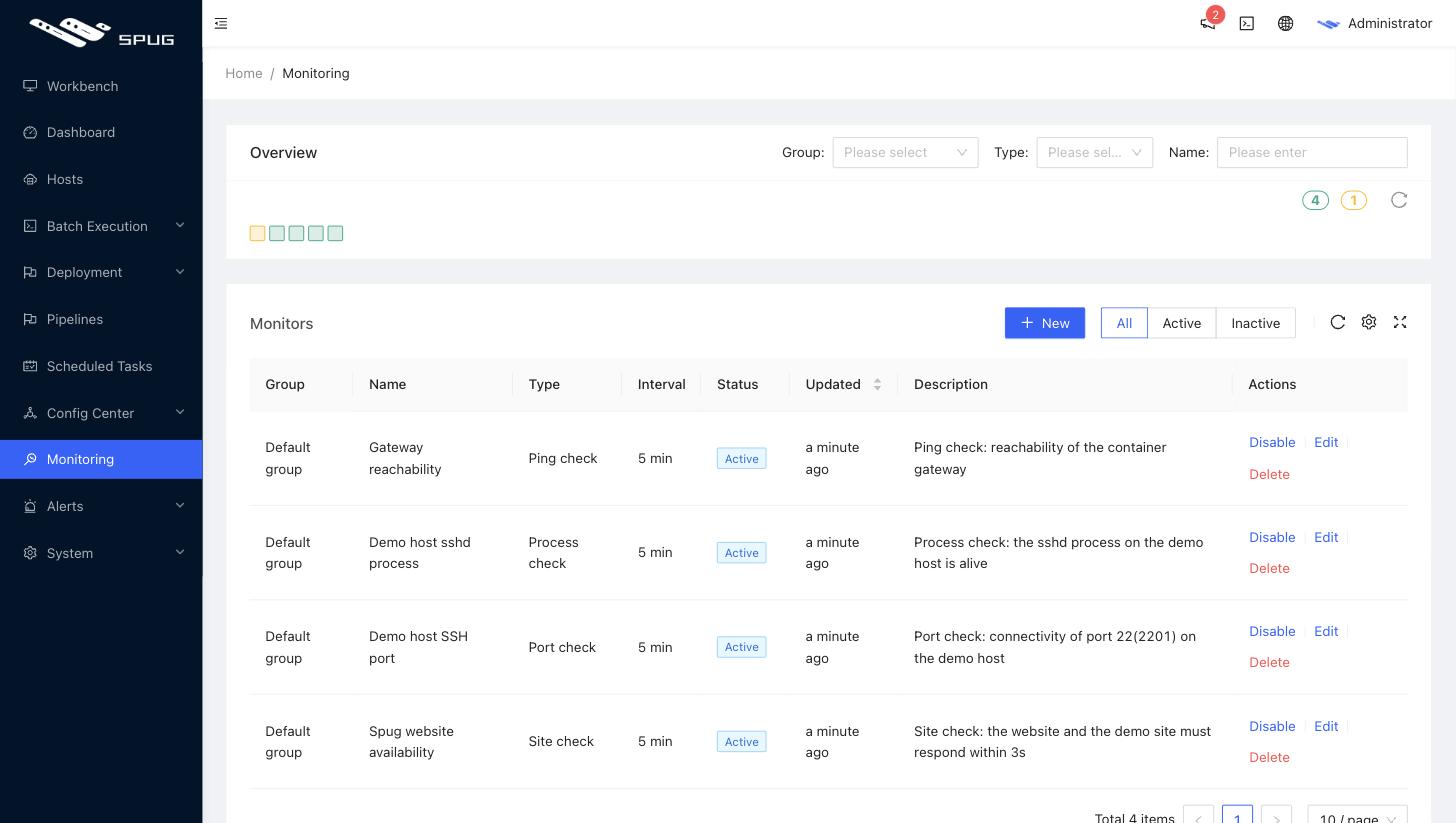
The following check types are available:
-
Site check
Sends a
GETrequest to the URL and treats HTTP status codes 200 - 399 as healthy; the default request timeout is 30 seconds. An optional response time threshold marks slow responses as failures. -
Port check
Checks whether a TCP connection to the port of the host can be established.
-
Ping check
Pings the host with a 3-second timeout. It runs on the host (or container) running
Spug, which needs thepingcommand. -
Process check
Checks whether a process is alive on the host; the process name is what
ps -efshows. -
Custom script
Runs a script on the host and treats exit code 0 as healthy. The script output becomes the alert description, so the script can control both the rule and the message.
New monitor
1. Create task
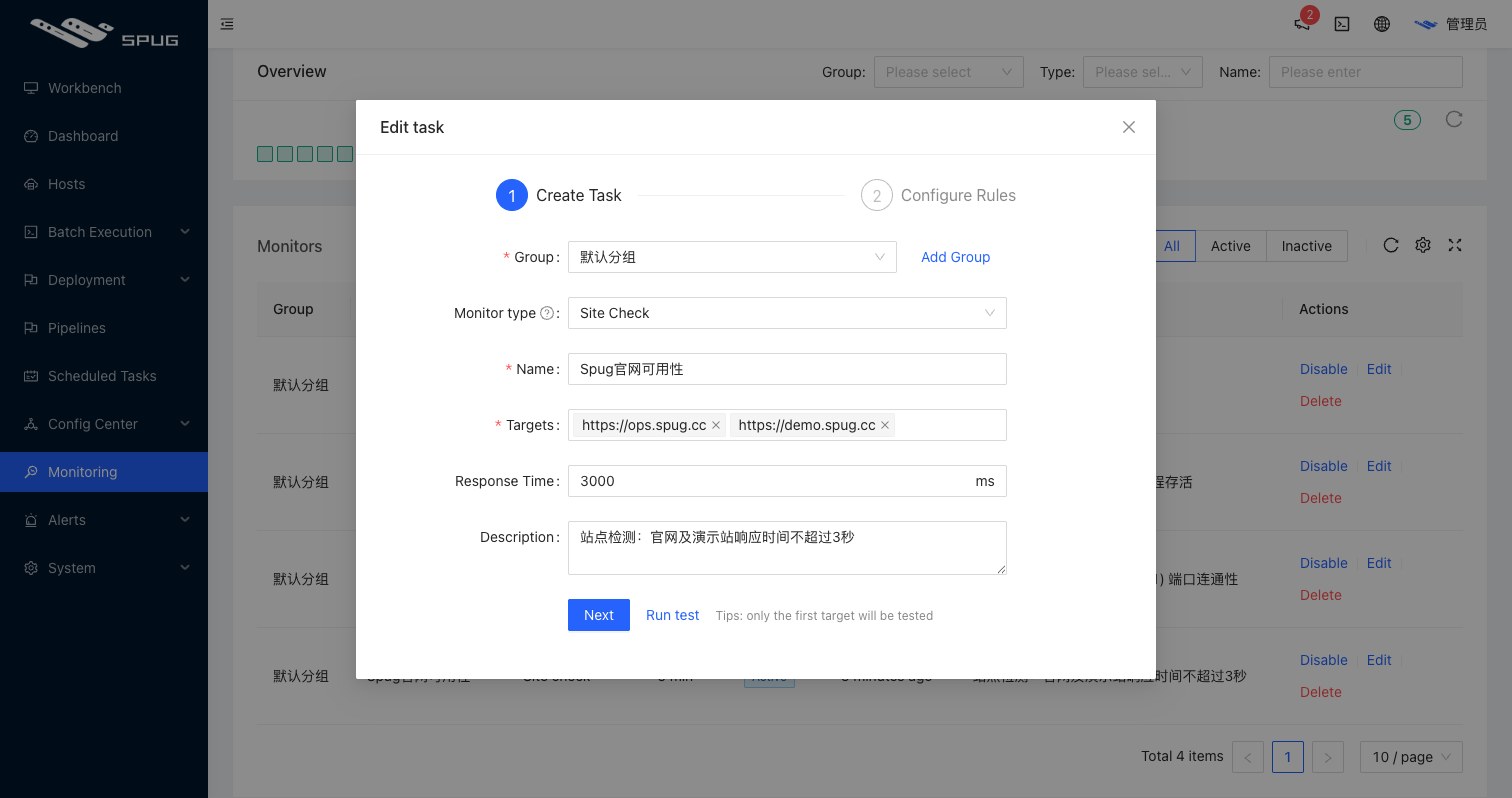
- Group: the group of the monitor; new groups can be typed directly.
- Type / Name: see above.
- Address / Hosts: site checks take URLs (several at once, separated by commas or spaces); port and ping checks take IPs / domains; process and custom script checks pick hosts from host management, with multiple selection, so one monitor can cover many targets.
- Port / Process name / Script: depending on the type; scripts can be loaded from batch execution templates.
2. Set rules
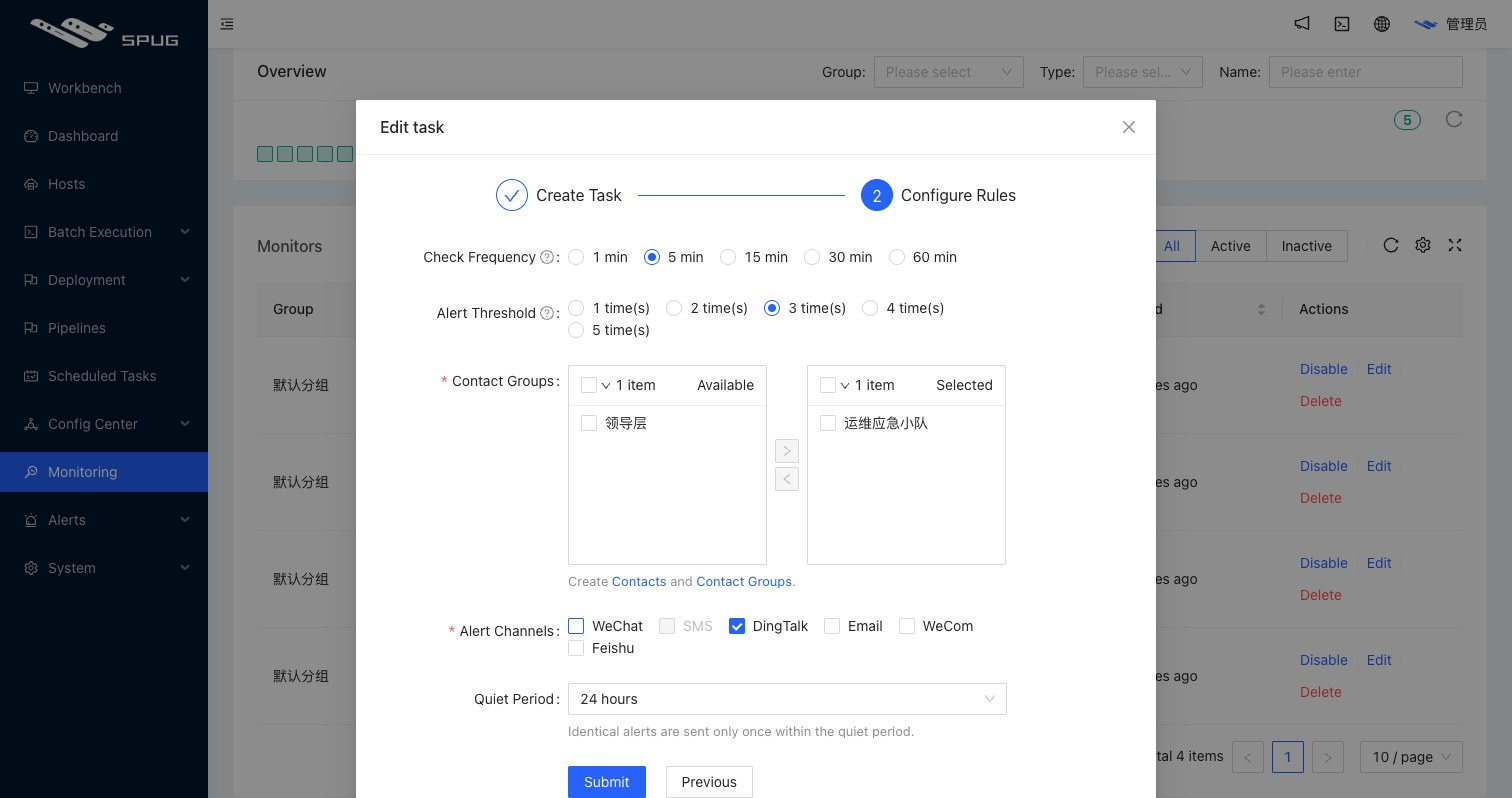
- Frequency: the check interval, one of 1 / 5 / 15 / 30 / 60 minutes (default 5).
- Threshold: the number of consecutive failures before an alert is raised; with a threshold of 3, three failed checks in a row are required.
- Contact groups: one or more groups of alert contacts, maintained under Alert groups.
- Alert methods:
WeChat,DingTalk,Email,WeComandFeishu, multiple selection. The built-in WeChat and email services need the service token from the official account below, configured underSystem Settings / Basic Settings; DingTalk, WeCom and Feishu use group bots; email can also use a custom mail server configured underSystem Settings / Alert Service Settings.- WeChat: the contact needs a WeChat token
- DingTalk: the contact needs the bot webhook URL (and signing secret); add the public IP of the server in the bot security settings or use the keyword
通知 - Feishu: the contact needs the bot webhook URL (and signing secret)
- WeCom: the contact needs the bot webhook URL
- Email: the contact needs an email address
- Quiet period: the same failure raises only one alert within the quiet period (5 / 10 / 15 / 30 / 60 minutes or 3 / 6 / 12 / 24 hours, default 24 hours), which avoids repeated alerts; with a 5-minute quiet period, an identical alert within 5 minutes of the first one is not sent.
Alerts and recovery
- Once the threshold is reached an alert notification is sent; when the check passes again a recovery notification with the outage duration follows. Both events are stored under Alert records.
- Delivery failures (missing service token, contacts without the required channel) are reported as in-app notifications.
- Alerts can trigger scheduled tasks: give a task the
Monitor alerttrigger and link the monitor to run remediation automatically.
Operations
- Monitors can be enabled / disabled in the list; disabled monitors are not checked. Edit changes every setting and Run test performs a single check immediately.
- Monitoring depends on the
runmonitorandrunworkerservices; for manual deployments see Development FAQ.
Spug WeChat official account