Scheduled Tasks
Overview
Scheduled tasks maintain recurring jobs. For example, an ordering application needs unpaid orders to be closed after a timeout; a task that calls an endpoint of the application every minute takes care of that. Tasks run on one or more hosts or on the Spug server itself, as Shell or Python scripts.
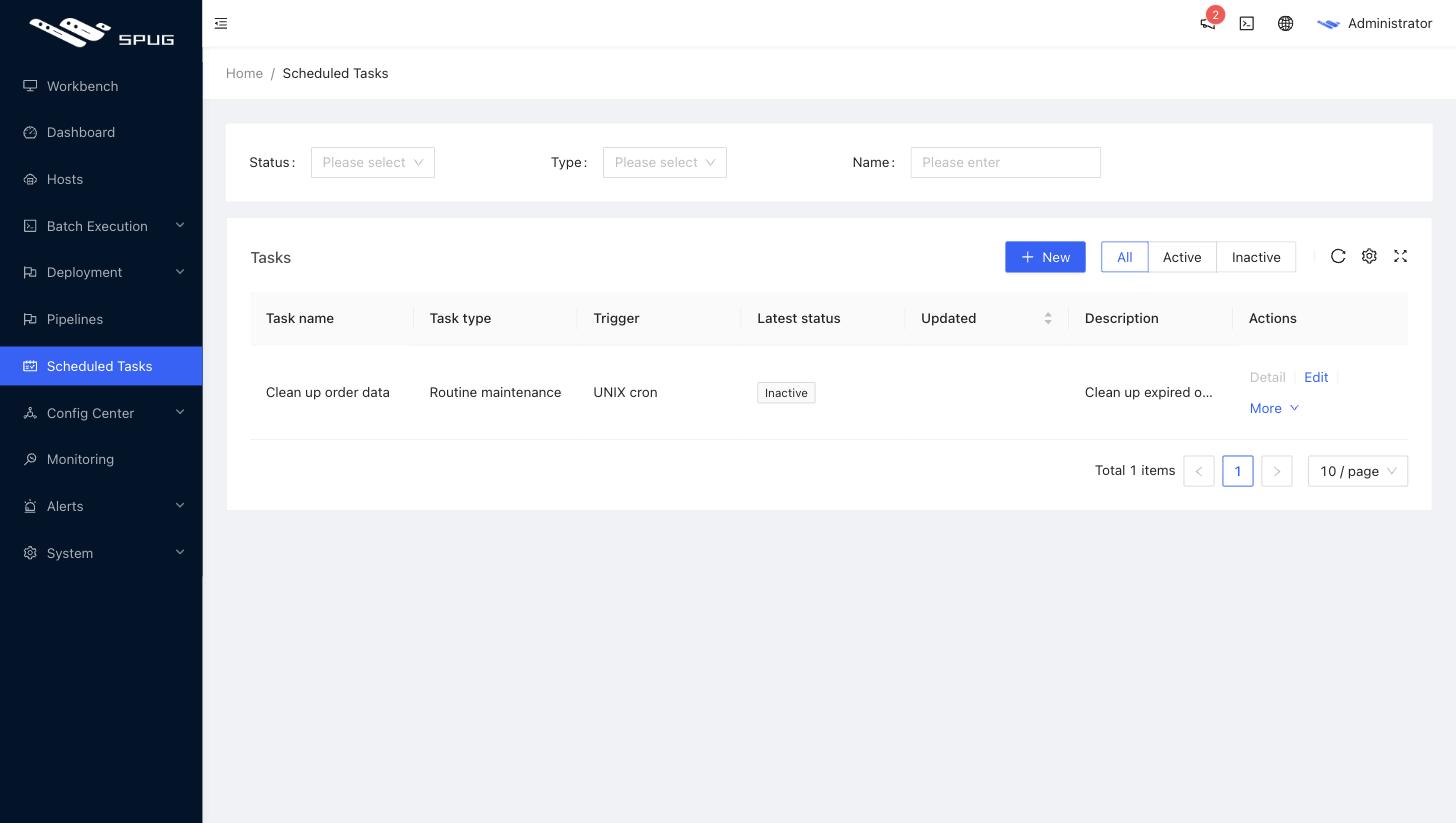
New task
Creating a task takes three steps: Create task → Set trigger → Select targets.
1. Create task
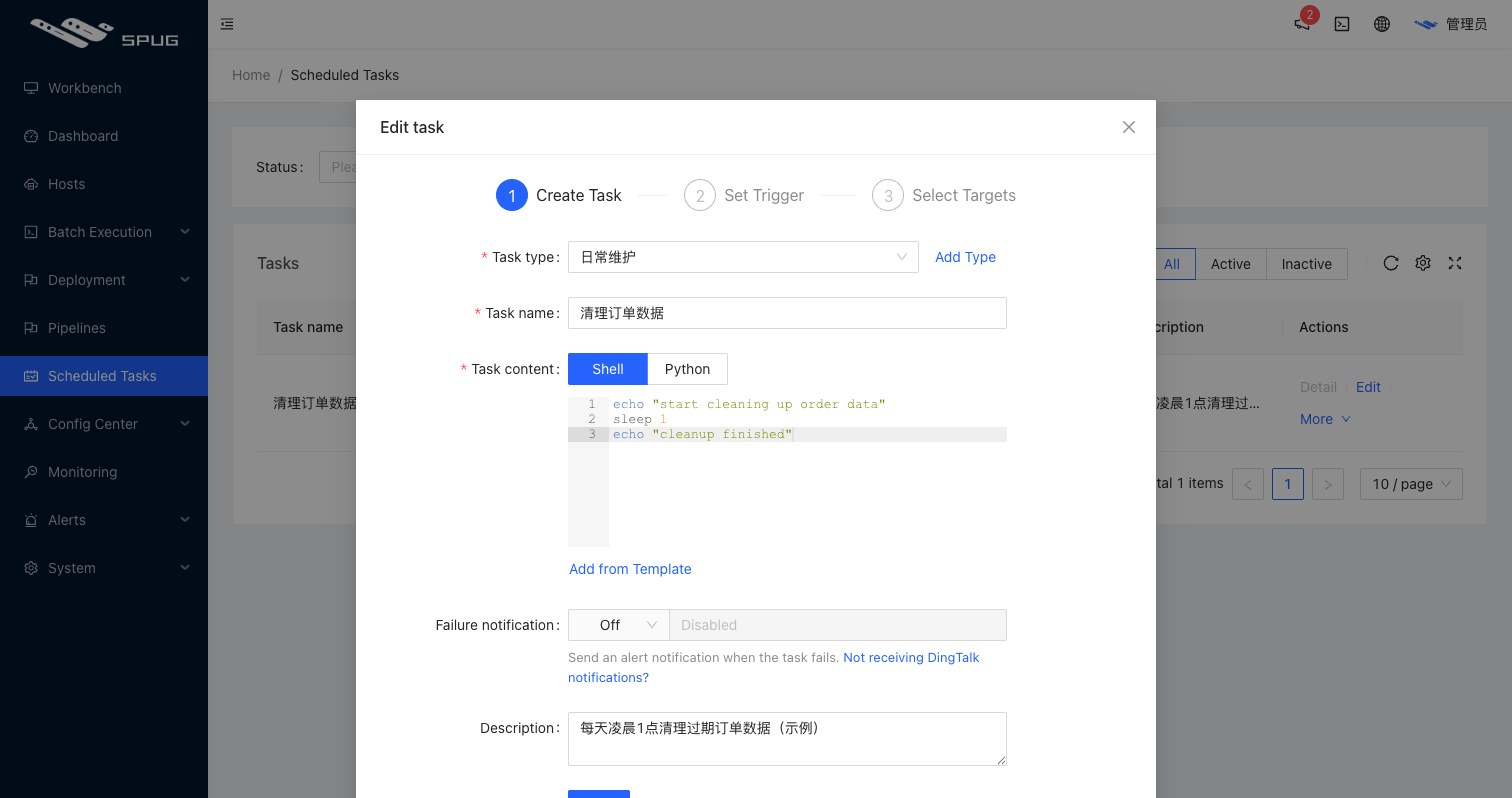
- Task type: a category; new categories can be typed into the drop-down.
- Task name: the name.
- Content: the script,
ShellorPython; Add from template reuses batch execution templates. - Failure notification: notify on failure via
DingTalk,Feishu,WeCombots or a customWebhook. - Description: optional.
2. Set trigger
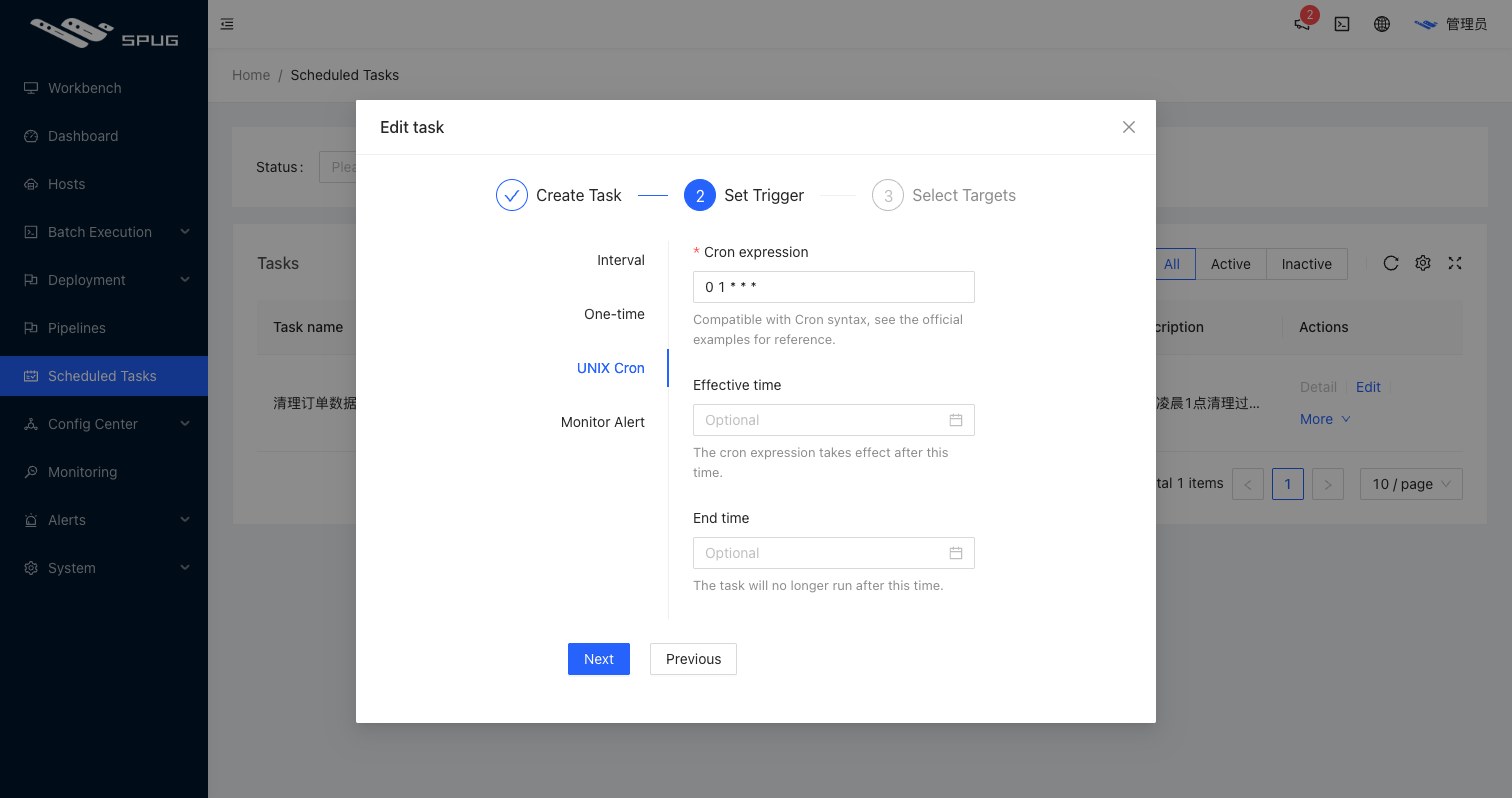
| Trigger | Description |
|---|---|
| Interval | run every N seconds |
| One-off | run once at the given time |
| UNIX cron | crontab-style rule, e.g. 0 1 * * * for 01:00 every day; 1-5, 2-5/2 and 1,3,5 are supported and the next run times are previewed; an optional start and end time limit the active period |
| Monitor alert | run when the selected monitors raise an alert, for self-healing such as restarting a service after a process check fails |
3. Select targets
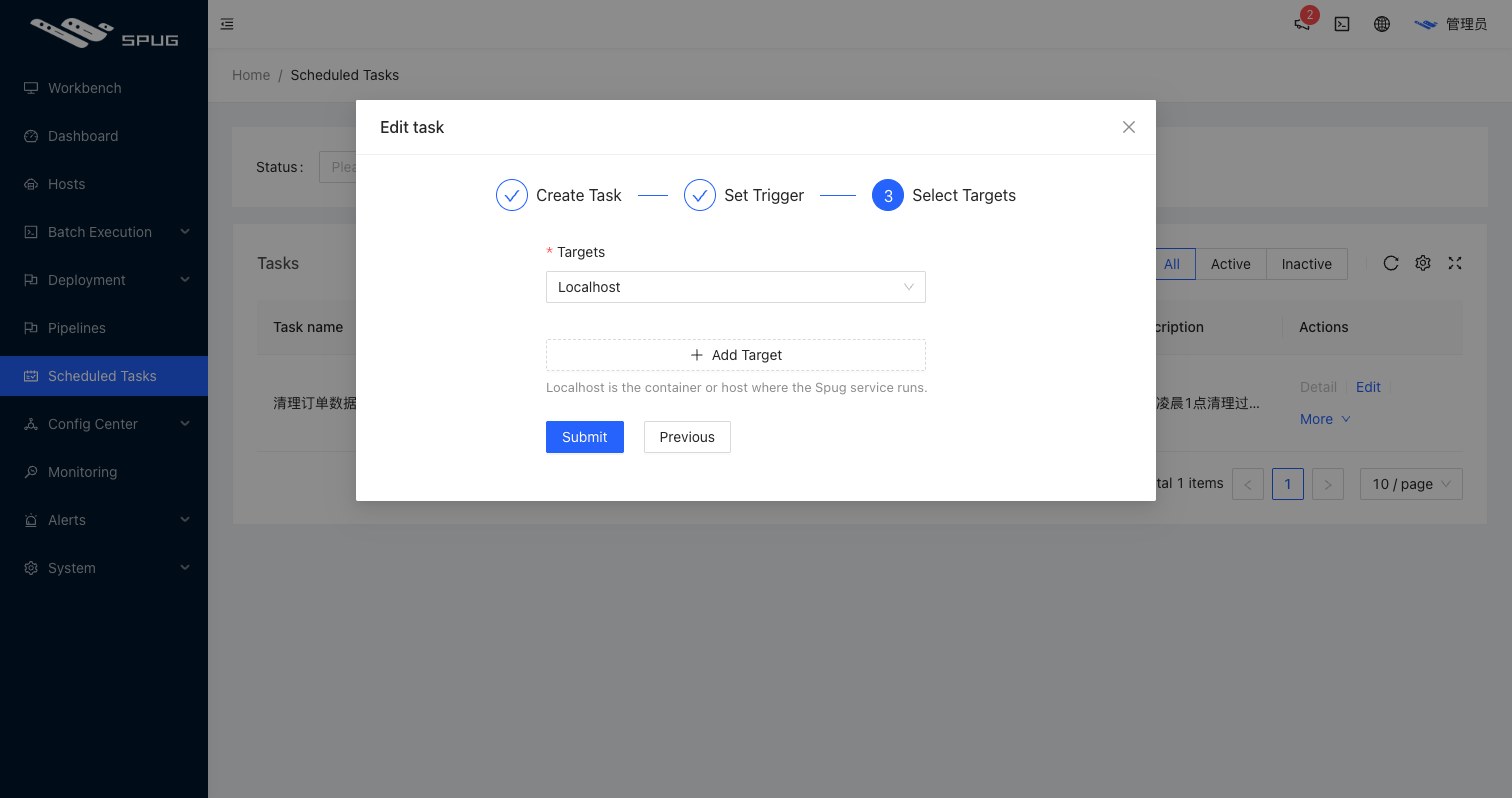
- Targets: one or more hosts, or Local (the container or server running
Spug). - With the Monitor alert trigger you can also choose Alerting host, i.e. the host that raised the alert (only process and custom script monitors have an associated host).
Managing tasks
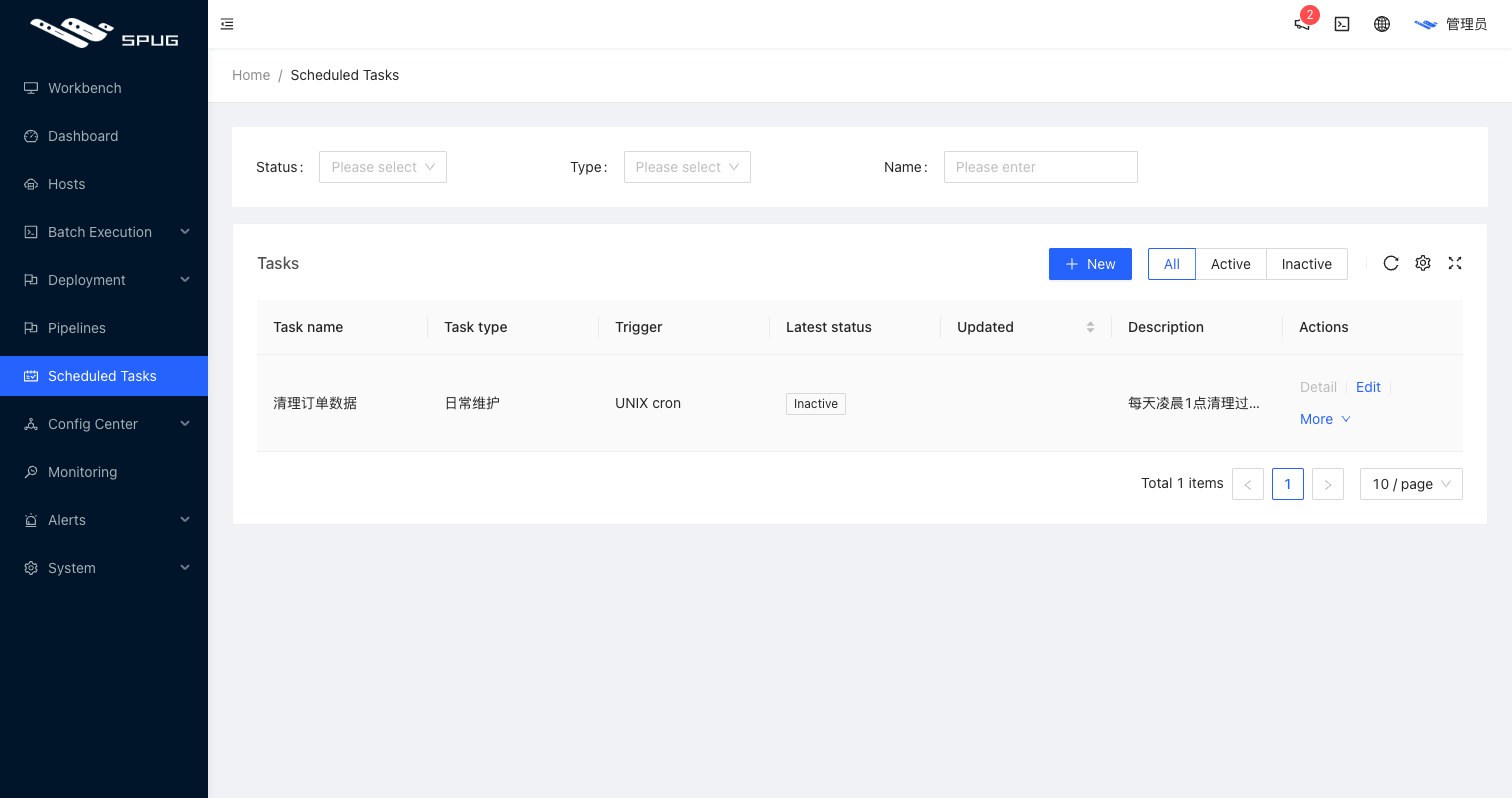
- New tasks are inactive; use Activate Task in the More menu to start scheduling and Disable Task to stop it; the menu also offers Run Test, History and Delete.
- More / Run test executes the task once on its targets for debugging.
- Details shows the execution history with status, duration and output of every run plus success / failure counts and the average duration.
Only the most recent 50 records of a task are kept; older ones are removed automatically.
Notes
- Scheduled tasks depend on the
runschedulerandrunworkerservices; the Docker install includes them, for manual deployments see Development FAQ. - Scheduled task scripts do not receive the
SPUG_*host variables of batch execution; obtain host information inside the script (for example withhostname -I) if you need it. - Tasks run in a non-interactive shell; for
command not founderrors see Best practices.